

Website Security for Small Business: 8 Habits to Stop Hacks

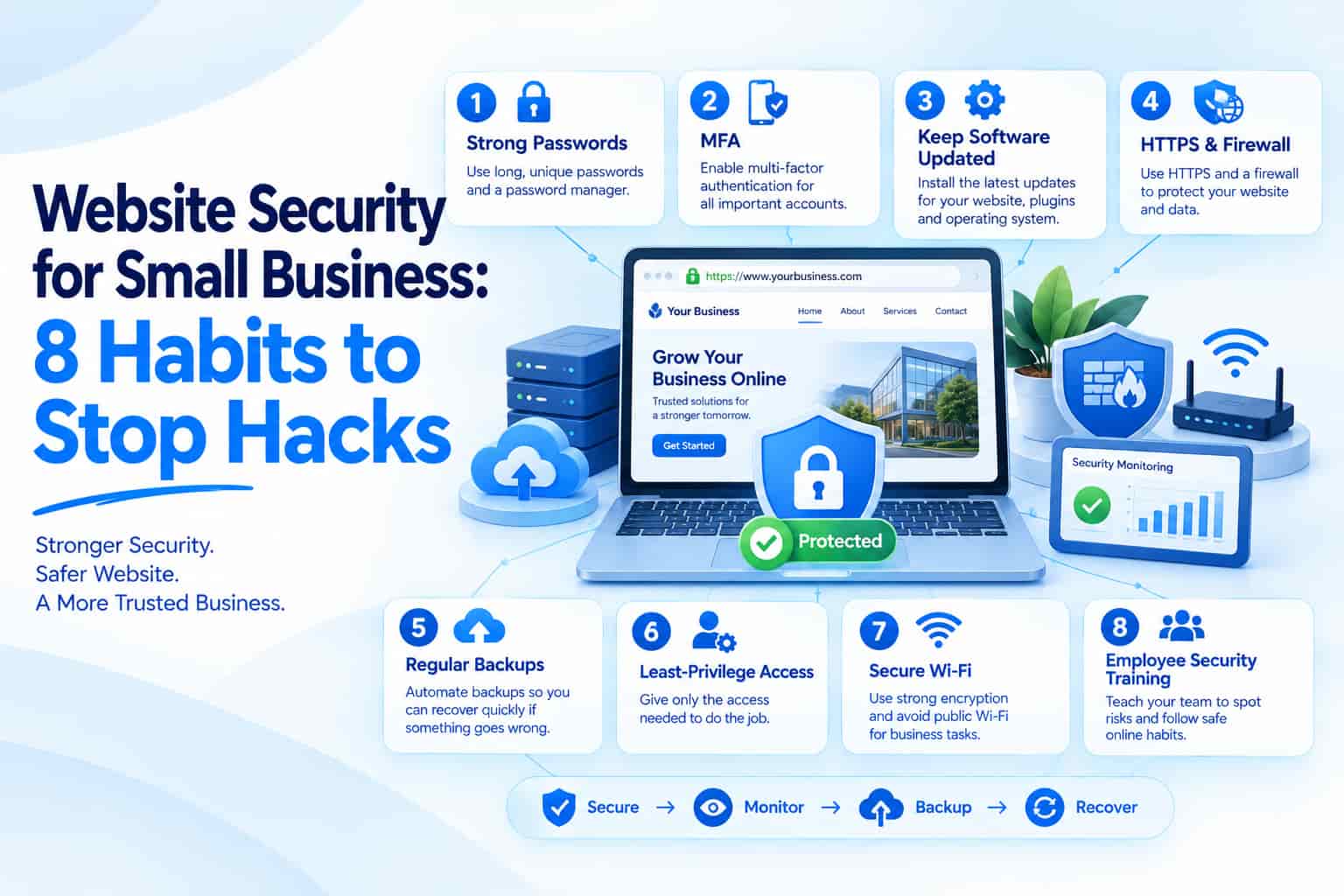
Many small business owners believe hackers only target big companies. In reality, automated bots scan millions of websites every day looking for outdated software, weak passwords and unprotected forms, regardless of the size of the business behind them. A hacked site can lose customers, damage your Google rankings and cost far more to repair than to protect. This guide covers website security for small business: the habits that stop most attacks, and what to do if the worst happens.
Why Website Security Matters
Security affects trust, visibility and revenue at the same time. Browsers warn visitors away from insecure or infected sites, and Google can flag hacked pages and demote or remove them from results. Attackers may steal customer details, inject spam links or take your store offline during a sale. Recovery usually costs far more than basic protection, both in money and in lost reputation, which makes prevention one of the best investments a small business can make.
Use HTTPS and Keep Software Updated
An SSL or TLS certificate encrypts data between visitors and your website, shows the padlock in browsers and acts as a lightweight ranking signal. Install a certificate, redirect every HTTP address to the secure version and fix any mixed-content warnings. Many hosts provide free certificates that renew automatically. Equally important is keeping your CMS, themes and plugins up to date, because outdated software is one of the most common causes of hacked sites, especially on WordPress. Turn on automatic security updates where it is safe, delete plugins and themes you no longer use instead of just deactivating them, and avoid pirated "nulled" themes, which frequently contain hidden malware.
Strong Passwords and Two-Factor Authentication
Weak or reused passwords remain a leading way attackers get in. Use long, unique passwords stored in a password manager, and enable two-factor authentication on your website admin, hosting, domain registrar and email accounts. Give every team member a separate login instead of sharing one, and change passwords whenever a staff member or freelancer leaves. Limiting user roles helps too: a writer does not need administrator access, so give people only the permissions they need and review accounts regularly.
Back Up Regularly and Test Your Restores
Backups are your safety net when something goes wrong. Keep automatic backups of both your files and your database, stored away from the web server, for example in cloud storage. Daily backups suit active stores, while weekly may be enough for a simple brochure site. Most importantly, test a restore occasionally, because a backup you cannot restore is not really a backup at all.
Choose Reliable Hosting
Good hosting includes firewalls, malware scanning, isolated accounts and fast support. Very cheap shared plans may mean weak protection and slow recovery when something happens. When comparing providers, ask about backups, security tools and response times rather than looking only at price.
Protect Forms, Logins and Admin Areas
Contact forms and login pages are favourite targets for bots. Add spam protection such as reCAPTCHA or honeypot fields to forms, limit the number of login attempts and block suspicious IP addresses. Avoid the default "admin" username, consider changing the default login address and use a web application firewall or a reputable security plugin to filter malicious traffic before it reaches your site.
Monitor Your Site
You cannot fix what you do not notice. Use uptime monitoring and regular malware scans, and verify your site in Google Search Console, which can warn you about security issues. Watch for unknown pages, strange redirects, sudden drops in traffic, spam content showing up in search results and unexpected admin users, all of which can signal a compromise. E-commerce sites should also use trusted payment gateways so card details never touch their own servers, and publish a clear privacy policy that follows India's data protection requirements.
What to Do If Your Site Is Hacked
If the worst happens, act calmly and in order. First put the site into maintenance mode or take it offline to protect visitors. Change every password, including hosting, FTP, database, CMS and email. Restore the site from a clean backup made before the infection, update all software, scan for malware and backdoors, and find and close the entry point, such as an outdated plugin or stolen password, before going live again. If Google flagged your site, request a review in Search Console once it is clean. Because security also supports performance and rankings, our guide on why SEO is still worth it shows how site health fits into long-term visibility.
Frequently Asked Questions
Is a free SSL certificate enough?
Yes, for encryption. Trusted free certificates work well for most business websites.
Do website builders need the same care?
Hosted builders handle much of the security, but strong passwords and two-factor authentication still matter.
How often should I back up my website?
Daily for stores and frequently updated sites, and at least weekly for simple sites.
Conclusion
Good website security is a set of habits rather than a one-time task: HTTPS, regular updates, strong logins, limited access, tested backups, reliable hosting, protected forms and constant monitoring. Together these steps stop most common attacks and protect your reputation and rankings.
OM Enterprises provides website maintenance, security hardening, backups and monitoring. Ask about a website maintenance plan and protect your business online.