

Schema Markup for Local Business: JSON-LD Guide (2026)

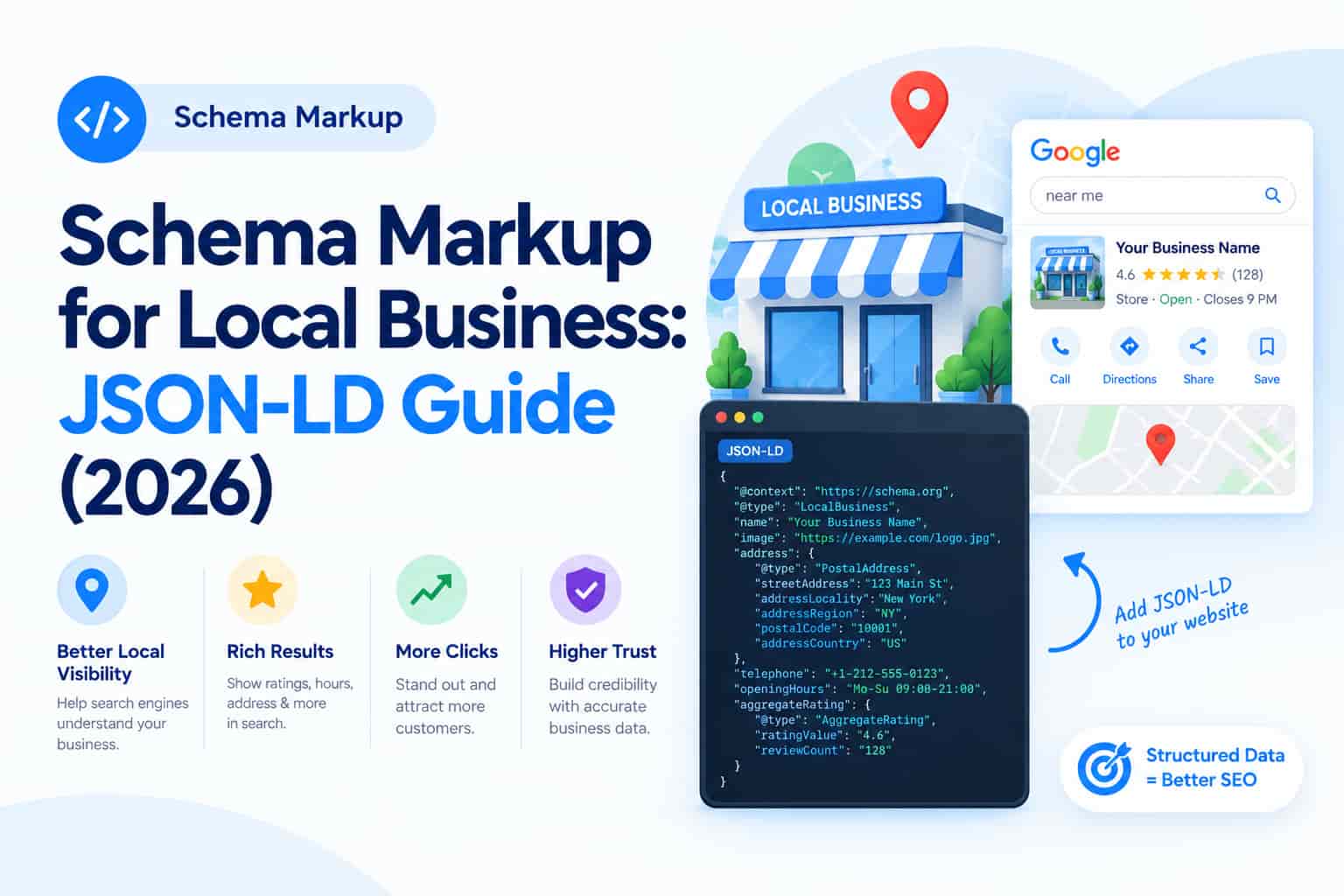
When someone searches for a local business, Google wants to understand exactly who you are, what you offer, where you operate and when you are open. Schema markup is structured data you add to your pages in a standard vocabulary (Schema.org) so search engines can interpret that information accurately. For local businesses, it is a quiet but valuable part of technical SEO. This guide explains what schema does, which types matter, how to add JSON-LD and how to test it.
What Is Schema Markup?
Schema markup is code that labels the content on a page: this is a business name, that is a phone number, this is a customer review, that is an opening time. Search engines read the labels alongside your visible text. Google recommends the JSON-LD format, which sits in a script block in the page and does not change how the page looks.
What Schema Does and Does Not Do
- It helps search engines understand your content and may make pages eligible for enhanced results, known as rich results.
- It does not guarantee higher rankings or rich results.
- The markup must match what visitors can actually see on the page. Marking up hidden or invented content breaks Google's guidelines.
Think of schema as clear labelling, not a ranking trick. It works best alongside strong content, fast pages and a complete Google Business Profile. For the wider picture, read why SEO is still worth it in 2025.
Schema Types Every Local Business Should Consider
LocalBusiness (and specific subtypes)
Use the most specific type available, such as Dentist, Restaurant, AutoRepair or RealEstateAgent. Include name, address, phone, opening hours, geo-coordinates, price range and the area you serve.
Organization
Add your legal or brand name, logo, website, contact details and official social profiles (using sameAs links). This helps connect your brand across the web.
Product and Offer
For product pages, include name, image, description, price, currency, availability and genuine review ratings.
Review and AggregateRating
Only mark up real reviews that appear on the page and comply with Google's review snippet policies. Self-serving reviews of your own business are generally not eligible for star snippets.
FAQPage
Use this only where a visible FAQ section exists. Note that Google now shows FAQ rich results only for a limited set of authoritative sites, so do not expect them in search, although the markup still describes your content clearly.
BreadcrumbList
Breadcrumb markup shows your site structure in results and helps users understand page hierarchy.
Article or BlogPosting
For blog posts, include headline, author, publish and modified dates, and image.
How to Add Schema Markup Step by Step
- List your key pages: home, contact or location pages, service pages, product pages and blog posts.
- Choose how to add it: a trusted SEO plugin, your CMS's built-in options, Google Tag Manager or custom JSON-LD added by a developer.
- Fill in accurate details, matching your Google Business Profile and website exactly.
- Test every template with Google's Rich Results Test and the Schema Markup Validator.
- Monitor Search Console enhancement reports for errors and warnings.
- Update after changes to hours, prices, addresses or services.
Sample LocalBusiness JSON-LD Structure
A basic block includes the @context, @type (for example Dentist), name, image, telephone, address (street, locality, region, postal code, country), geo coordinates, opening hours specification, price range and URL. Developers can generate a starting point from a plugin and then check it against the official Schema.org documentation.
Common Schema Mistakes to Avoid
- Marking up content that is not visible on the page
- Using fake or self-written reviews
- Different phone numbers or addresses in markup and on the website
- Copying a competitor's markup without updating the details
- Adding several conflicting schema plugins that duplicate or clash
- Ignoring errors in Search Console
Schema and AI Search
Structured data helps machines interpret your content, which supports visibility in AI-generated answers and knowledge panels. Consistent business details across your website, schema and directory listings make it easier for search and answer engines to represent you correctly.
Frequently Asked Questions
Will schema markup improve my rankings?
Not directly. It improves understanding and eligibility for enhanced displays, which can improve click-through rate.
Do I need a developer to add schema?
Not always. Many CMS plugins cover LocalBusiness, Organization, Product and Article basics, though custom needs may require a developer.
Which schema format should I use?
JSON-LD is Google's recommended format and is easier to maintain than microdata.
Conclusion
Schema markup gives search engines a clear, structured picture of your local business. Start with LocalBusiness and Organization markup, add Product, Article and Breadcrumb schema where relevant, keep everything accurate and test regularly. Used honestly, it strengthens your local SEO foundation.
OM Enterprises implements and audits structured data as part of complete technical SEO services. Ask for a free schema review and make your business easier for search engines to understand.