Instagram DM Automation: How Brands Can Reply in Seconds, Capture Leads and Stay Within Meta's Rules

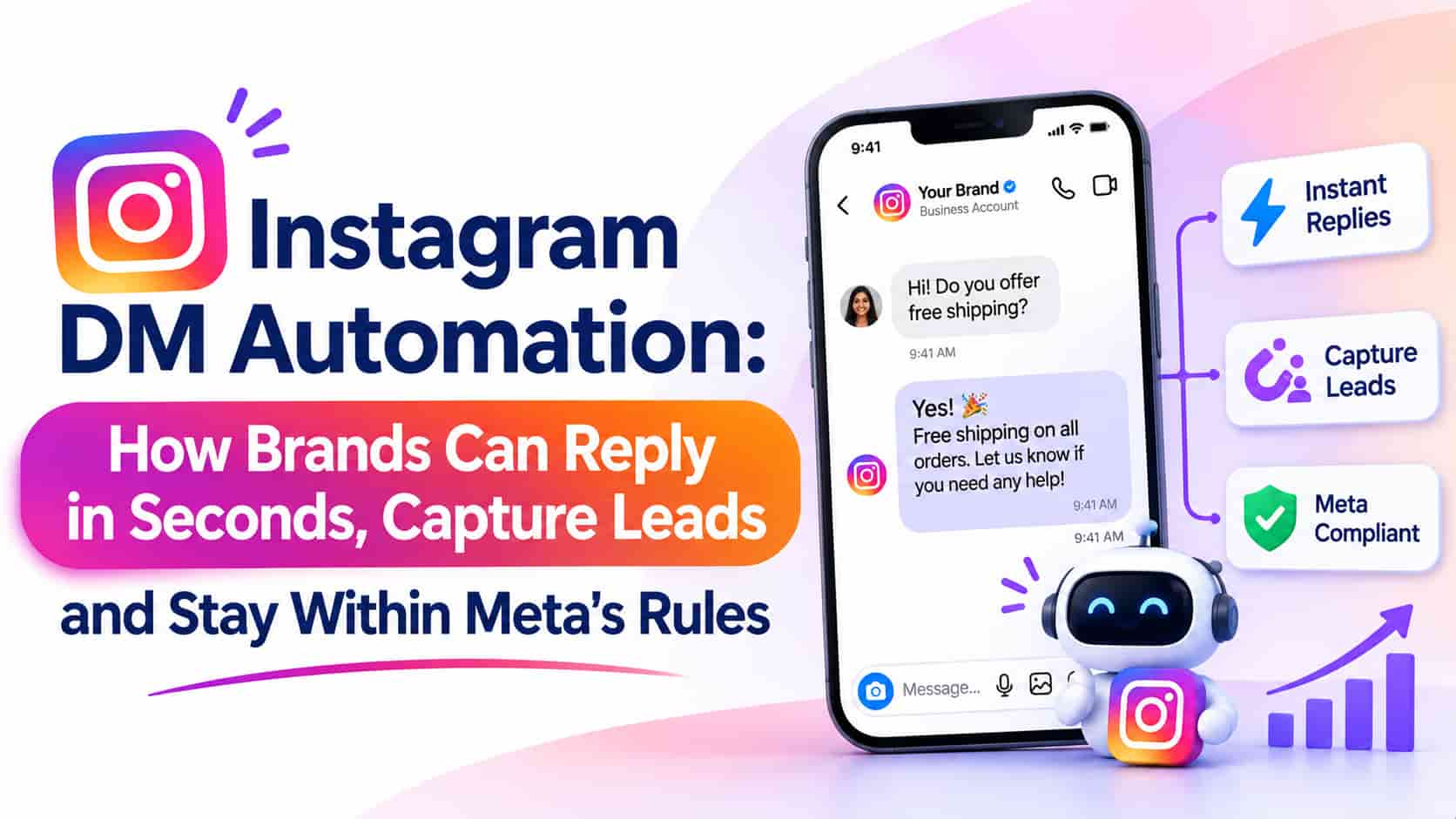
A brand posts a Reel with the words "Comment LINK for the price list". Within seconds, hundreds of people comment, and each receives a direct message with the details. The brand's team never touched a phone. This is Instagram DM automation, and it has quietly become a core tactic for D2C brands, coaches, creators and local businesses in India. Customers on Instagram ask about price, size, availability and delivery in direct messages, and a business that answers within seconds wins attention that a slow reply loses. This guide explains how Instagram DM automation works, what it can do, the rules you must follow and how to keep it human.
Why DMs matter
Instagram is a discovery platform, but decisions often happen in conversation. People ask "Is this available in medium?", "What is the delivery time to Ludhiana?" and "Do you have a demo class this week?" Replying fast improves conversion, and a conversation in direct messages gives you a contact that is closer to a sale than a passive follower. For many businesses, DMs have become a small support desk, sales counter and booking system in one.
How automation works
Meta provides an official messaging API for Instagram business accounts, which approved tools and platforms use to read incoming messages and comments and to send replies. Through such tools, you can set rules and flows that respond automatically. You connect your professional Instagram account to the tool, grant permissions and build automations. Because the connection runs through Meta's official system, it follows platform rules, unlike unofficial bots that log in with passwords, which risk account restrictions. Always use tools that rely on official integrations, and check their current compliance with Meta's policies.
What you can automate
Welcome and greeting replies. When someone sends a first message, an instant reply thanks them, explains what you can help with and offers quick options.
FAQ answers. Quick replies to common questions about price, delivery, sizes, timings, location and returns.
Comment-to-DM flows. A keyword in a post's comments triggers a private message with a link or information. Where Meta's rules allow, businesses can send a private reply to a comment, and tools use this to start a conversation.
Story reply automation. Responses to people who reply to your Stories with a keyword or interest.
Lead capture. A short sequence that asks for name, interest, city and phone number, then passes the lead to your CRM or WhatsApp.
Product recommendations and links. A quiz-like flow guiding customers to the right product, with links to your site or WhatsApp.
Booking and enquiry flows. For services, collecting preferred dates and times and sending details to your team.
Away messages. Replies outside business hours that set expectations about when a human will respond.
Know the rules and limits
Meta enforces messaging windows. In general, businesses may reply freely within a limited time after a customer's message, commonly twenty-four hours, with provisions for human follow-up beyond that in some cases. Sending promotional messages outside the allowed window, or messaging people who have not interacted with you, is not allowed. Rate limits restrict the number of automated messages and comments handled per period. Automated messages should be relevant and non-spammy, and you must follow the platform's community and commerce policies. Rules change, so check Meta's current documentation or your tool's guidance.
Design flows that feel human
People can tell when they are talking to a bot, and many do not mind if the bot is useful. Be honest, brief and helpful. Start with a friendly greeting and tell them what they can do. Offer buttons or quick replies to reduce typing. Keep each message short. Avoid long walls of text. Give a clear way to reach a human at any step. If a question falls outside the flow, say so, and hand over or promise a response time. Use a consistent tone with your brand, and add small personal touches where possible.
Combine with WhatsApp and your CRM
Instagram DMs are good for the first conversation, but longer sales processes often move to WhatsApp, where customers are used to sharing documents, payment links and order updates. Design a handover: after qualifying the customer, invite them to continue on WhatsApp with a click-to-chat link, and ask for consent to send updates. Sync lead data into your CRM, so that sales sees the full context, including the post or Story that triggered the conversation.
Use cases by business type
D2C and fashion. Size guides, stock queries, delivery times and order links triggered from Reels.
Coaches and educators. Free resource delivery, class schedules and enquiry capture.
Salons, clinics and service providers. Booking requests, price ranges and location details.
Restaurants and cafes. Menu links, reservations and event information.
Real estate and automobiles. Project brochures, test-drive requests and callbacks.
Respect privacy and consent
DMs contain personal information. Collect only what you need, say how it will be used and avoid asking for sensitive data such as passwords, card numbers or OTPs in chat. If you plan to send marketing messages, obtain clear opt-in and offer an easy way to stop. Follow India's data protection requirements. Do not scrape or misuse customer details from DMs.
Measure the results
Track number of conversations started, response time, automation completion rate, handover rate, leads captured, conversion to sale and customer satisfaction. Review conversations regularly to see where the flow fails, which questions it cannot answer and what customers actually want. Update the flows monthly. Compare the performance of posts that use comment triggers against those that do not.
Common mistakes
Common errors include using unofficial automation that risks bans, flows that are too long, no human option, ignoring the messaging window, mass messaging people without interaction, collecting sensitive data, never reviewing transcripts and treating DMs as a broadcast channel.
Frequently asked questions
Is Instagram DM automation allowed?
Yes, when done through Meta's official tools and policies.
Can I message all my followers?
No. You can respond to people who interact with you, within platform rules, not send unsolicited bulk messages.
Do I need a business account?
Yes, a professional account is required for official messaging integrations.
Answer every Instagram enquiry in seconds
OM Enterprises builds Instagram DM flows with WhatsApp handover and CRM integration. Talk to our social automation team.