

Introduction
In the ever-evolving landscape of mobile photography, few apps have maintained the legendary status that Snapseed has enjoyed among both amateur photographers and creative professionals. Originally developed by Nik Software and acquired by Google in 2012, Snapseed has long been the gold standard for mobile photo editing, offering desktop-level capabilities in a remarkably intuitive package. Now, after years of incremental updates, Google is rolling out Snapseed 3.0—a comprehensive redesign that promises to revolutionize how Android users edit their photos. This isn't just another minor update with a few new filters thrown in; it's a complete reimagining of the app's interface, workflow, and capabilities. For the millions of Android photographers who have relied on Snapseed as their go-to editing tool, this redesign represents both an exciting leap forward and a fresh approach to mobile creativity. Let's dive into what makes Snapseed 3.0 such a significant update and why it matters for the future of mobile photography on Android.
Google Confirms Snapseed 3.0 Redesign for Android
Google has officially confirmed that Snapseed 3.0 is making its way to Android devices, marking the most substantial overhaul the app has seen since its acquisition over a decade ago. The announcement comes after months of speculation and beta testing, during which select users got early access to the redesigned interface. Unlike previous updates that focused primarily on adding new tools or refining existing features, version 3.0 fundamentally rethinks how users interact with the app from the ground up.
The redesign reflects Google's broader design philosophy, incorporating Material Design 3 principles while maintaining the powerful functionality that made Snapseed a favorite among serious mobile photographers. This update isn't just about aesthetics—it's about creating a more efficient, intuitive workflow that helps users achieve professional results faster than ever before.
Snapseed Is Getting a Major Makeover on Android
The visual transformation of Snapseed 3.0 is immediately apparent from the moment you launch the app. Gone is the somewhat dated interface that, while functional, felt increasingly out of step with modern Android design standards. In its place is a sleek, streamlined experience that feels both contemporary and purposeful. The new design language emphasizes clarity, with improved typography, generous whitespace, and a more logical organization of tools and features.
But this makeover goes far deeper than surface-level aesthetics. Google has completely restructured how users navigate through the editing process, moving away from the somewhat hidden menu system of previous versions to a more transparent, accessible layout. Every element has been reconsidered with user experience in mind, from the placement of buttons to the flow of the editing workflow. The result is an app that feels simultaneously familiar to longtime users and immediately approachable to newcomers.
Why the Snapseed 3.0 Upgrade Matters
Understanding the significance of this update requires recognizing Snapseed's unique position in the mobile photography ecosystem. While there's no shortage of photo editing apps available on Android, Snapseed has always occupied a special niche—powerful enough to satisfy serious photographers, yet accessible enough for casual users to achieve impressive results. This balance has been its greatest strength, and the 3.0 redesign aims to enhance rather than compromise it.
The upgrade matters because mobile photography has evolved dramatically in recent years. Smartphone cameras now capture images with stunning detail and dynamic range, producing files that demand sophisticated editing tools. At the same time, social media and content creation have made photo editing a daily activity for millions of people. Snapseed 3.0 acknowledges these realities by providing tools that can handle the quality of modern smartphone cameras while streamlining workflows for users who need to edit quickly and efficiently.
Furthermore, this redesign positions Snapseed to remain competitive in an increasingly crowded marketplace where subscription-based apps have become the norm. By offering a completely free, ad-free experience with professional-grade tools, Snapseed 3.0 continues Google's commitment to accessible creativity—a philosophy that resonates strongly with the Android community.
What's Changing in Snapseed 3.0
A New Homepage Experience
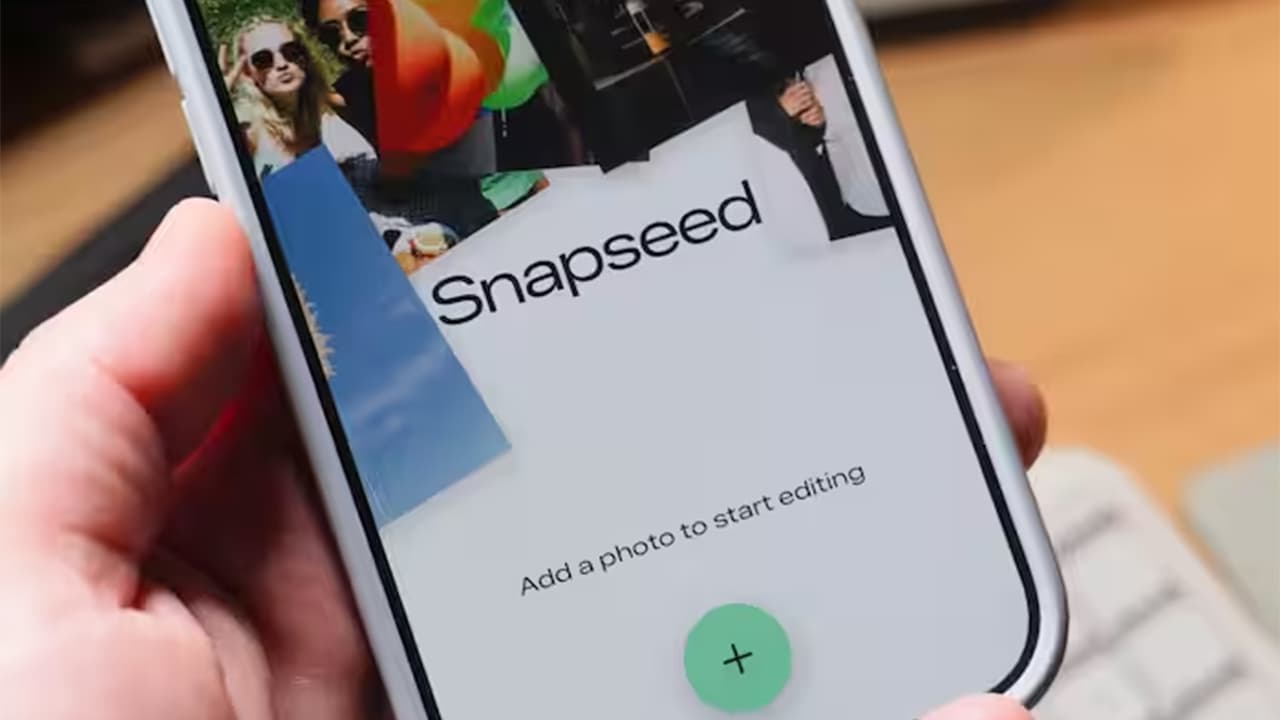
The first thing users will notice when opening Snapseed 3.0 is the completely reimagined homepage. Rather than immediately dumping users into their photo library, the new homepage serves as a creative hub. It features recently edited photos, quick access to frequently used tools, and inspirational content that showcases what's possible with the app. This approach transforms Snapseed from a simple tool into a destination—a place where users can not only edit their photos but also discover new techniques and creative possibilities.
The homepage intelligently adapts to individual usage patterns, surfacing tools and features based on editing history. For users who regularly apply certain filters or adjustments, those options appear prominently, reducing the number of taps needed to achieve their preferred look. This personalization makes the app feel responsive and tailored to each photographer's unique style.
Three Clear Editing Sections
Perhaps the most significant structural change in Snapseed 3.0 is the organization of editing tools into three distinct, clearly labeled sections: Tools, Filters, and Export. This tripartite division brings much-needed clarity to the editing process, eliminating the confusion that sometimes arose from the previous interface where tools and filters were intermixed.
The Tools section contains all the technical adjustments—exposure, color correction, healing, perspective correction, and more. These are the foundational edits that most images require. The Filters section houses creative effects and preset looks that can be applied and customized. Finally, the Export section streamlines the process of saving and sharing finished images, with options for quality, format, and direct sharing to various platforms. This logical separation makes it easier for users to understand their workflow and progress systematically through the editing process.
Improved Editing Tools and Controls
While the overall structure has been simplified, the actual editing tools have become more sophisticated. Control interfaces have been refined to offer greater precision, with improved gesture controls and more responsive sliders. The selective editing tools—one of Snapseed's signature features—have been enhanced with better masking algorithms and more intuitive brush controls.
Many tools now offer expanded ranges and additional parameters, giving advanced users more creative control without overwhelming beginners. The interface intelligently scales complexity based on user actions—basic adjustments remain simple and accessible, while more advanced options reveal themselves as needed. This progressive disclosure approach ensures that the app remains approachable while hiding nothing from users who want to dig deeper.
New Filters and Creative Effects
Snapseed 3.0 introduces a collection of new filters and creative effects that reflect current photographic trends and aesthetic preferences. These aren't simply rehashed versions of existing presets; they're thoughtfully designed looks that can serve as starting points for creative edits or be used as finishing touches. Each new filter is fully customizable, maintaining Snapseed's philosophy that presets should inspire rather than constrain.
The new effects include enhanced vintage filters, modern film emulations, and creative color grading options that rival what professional photographers use in desktop applications. Particularly noteworthy are the improved black and white conversion tools, which now offer more sophisticated control over tonal separation and film-like grain structures.
New Camera and Editing Features in Snapseed 3.0
Beyond interface improvements, Snapseed 3.0 introduces several genuinely new capabilities. Enhanced RAW processing support allows photographers shooting in RAW format to extract even more detail and dynamic range from their images. The healing and cloning tools have been improved with content-aware algorithms that produce more natural results when removing unwanted objects or blemishes.
A particularly exciting addition is the expanded selective editing system, which now includes the ability to save and recall masks. This means users can apply complex selections once and reuse them across multiple adjustments, dramatically speeding up workflow for images that require detailed selective edits. The curves tool has also been enhanced with additional control points and a more intuitive interface for precise tonal adjustments.
What This Redesign Means for Android Creators
For the millions of content creators, photographers, and visual storytellers using Android devices, Snapseed 3.0 represents a significant upgrade in their creative toolkit. The redesign acknowledges the reality that mobile photography isn't just about casual snapshots anymore—it's a serious creative medium with professional applications. By providing desktop-caliber tools in an optimized mobile interface, Snapseed 3.0 enables creators to maintain consistent editing quality whether they're working on a phone, tablet, or computer.
The improved workflow efficiency is particularly valuable for creators who need to process multiple images quickly, such as social media managers, travel bloggers, or event photographers. The ability to work faster without sacrificing quality or creative control means more time for actual creativity rather than technical manipulation.
Final Thoughts on the Snapseed Android Redesign
Conclusion
The Snapseed 3.0 redesign represents more than just a visual refresh—it's a thoughtful evolution of one of mobile photography's most beloved tools. By combining a modernized interface with enhanced capabilities and maintaining its commitment to being completely free and ad-free, Google has positioned Snapseed to remain the editing app of choice for Android photographers for years to come. Whether you're a longtime Snapseed user or someone who's never opened the app before, version 3.0 offers compelling reasons to explore what mobile photo editing can truly achieve. As this update rolls out to Android devices worldwide, it reaffirms that the future of creative photography isn't confined to expensive software or powerful computers—it's right there in your pocket, ready to transform your vision into reality.